VSCode-Transparent-Minimap
Transparent Minimap
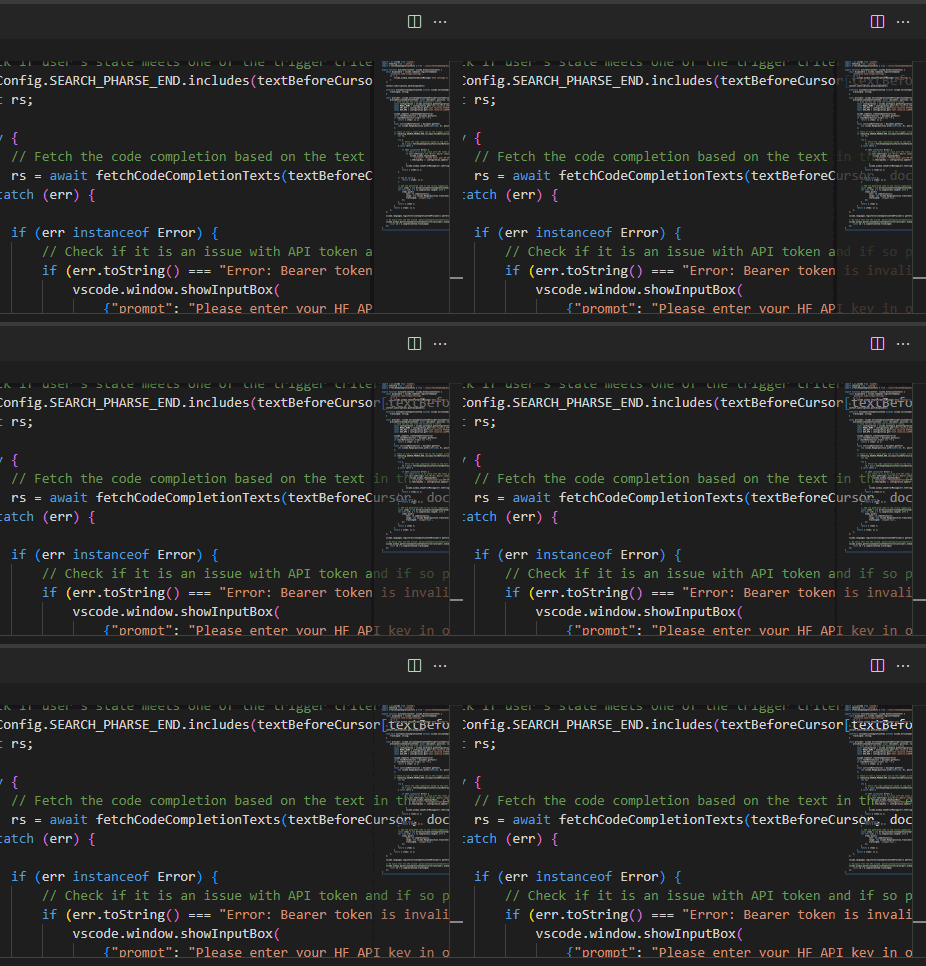
This extension makes your VS Code minimap transparent. You can adjust the level of transparency using the extension settings and even make your minimap a different color if you wish.
Features ✨
- Turns your minimap transparent out-of-the-box
- Gives you more horizontal space when coding, as the code displays behind the minimap (excellent for vertical monitors or smaller screens)
- Adjust minimap transparency or minimap color
- Runs on Visual Studio Code for the Web (vscode.dev)
- Walkthrough to help you get started using the extension
- Keyboard shortcut to refresh minimap settings Alt+M
- Control minimap shadow border transparency as well
- Lots of extension settings for your own customizations
How To Use 👇
I have coded a walkthrough for this extension. It will display when you first install the extension, and will walk you through a quick initial setup to get your minimap as you like it. (access it anytime by running Get Started: Open Walkthrough from the Command Palette)
Extension Settings ⚙️
TransparentMinimap.transparencyLevel
Transparency level / opacity of the minimap.
00 is full transparent, 88 would be half-transparent and colored, FF would be no transparency and full color.
Remember to run the Refresh Minimap Transparency Settings command to apply the changes
TransparentMinimap.minimapColor
Color of the minimap.
For example, 000000 is no color, FF0000 would be fully red, 111111 would be dark grey
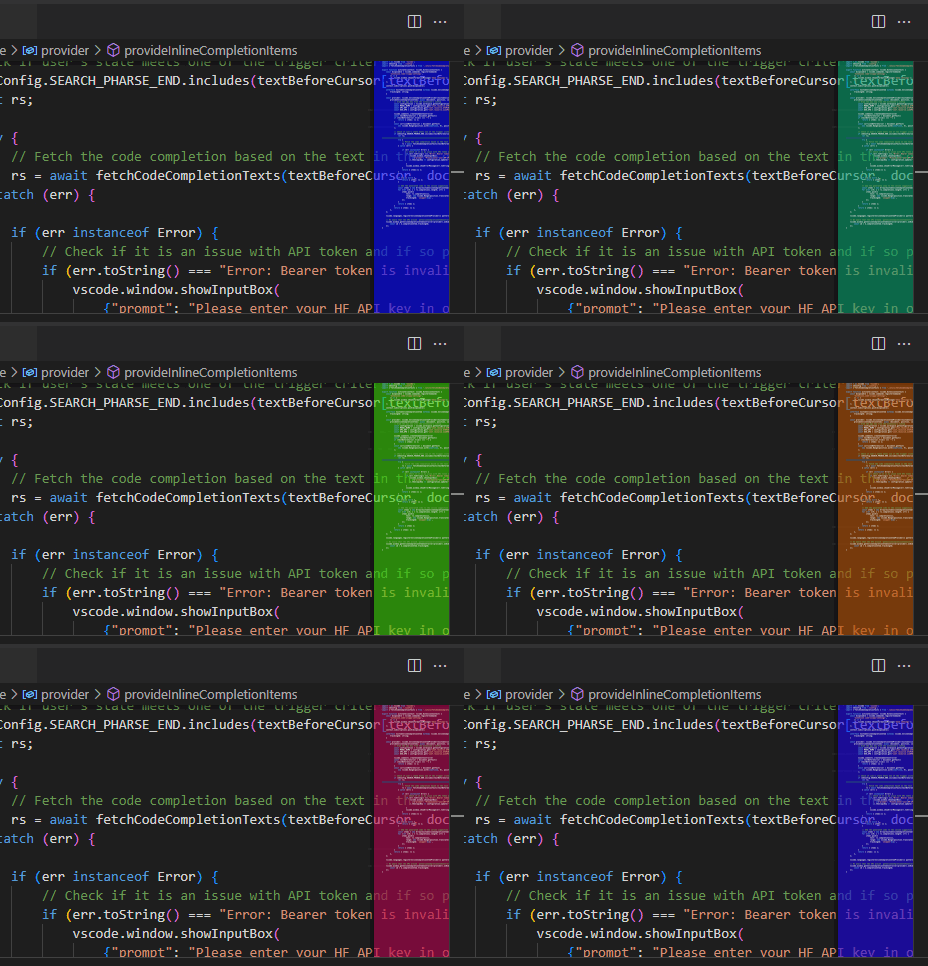
NOTE In order for you to theme your minimap with a custom color, the transparency level cannot be 00. Try setting your transparency level to about 88 and play around with the values to achieve your desired color.
TransparentMinimap.enableTransparentMinimap
Enable the extension to change the minimap to be transparent.
Future To-dos and Development Ideas 📝
- Introduce localization and/or translation to add extension in more languages
- Add a user setting to color minimap shadow border or remove it entirely
- Update extension logo to look better on light themes
- Improve project animations and add screenshots
➕ Have a suggestion for a feature you’d like me to improve? Submit a feature request on the Repo’s Issues page!
Completed To-dos ✔️
Add some descriptions that you need to select a somewhat opaque transparency in order to colorize (theme) your minimapAudit ‘when’ clauses in package.json in response to upcoming changes noted in VS Code v1.76.Allow user to quickly turn on/off minimap transparency using extension setting checkboxAnalyze code performance to find potential refactoring or optimization opportunitiesConsider removing extension walkthrough, as it works out-of-the-boxAdd button on “minimap settings reverted” information messageConsider adding a command to prevent need to restart VS CodeWarn user if minimap is disabled when first installing extensionAdd keyboard shortcut to refresh minimap setting changesTest oldest supported version of VS Code for compatibilitySwitch keybinding in documentation to use uppercase MCreate and add social preview image to GitHub projectMake minimap shadow border also transparentCreate discussion board for project on GitHubConvert images and GIFs to smaller sizeAdd GIFs to demo the extension usageAdd subheadings to extension settingsTest on different operating systemsMake a better extension iconTest having minimap on leftWrite more tests
Requirements 📦
- Visual Studio Code / Visual Studio Code for the Web running on any operating system
- Will work with Visual Studio Code 1.120.0 or later (more recent)
Known Issues 🐛
- Minimap needs to be set to display on the right (VS Code default)
Sponsor This Project ❤️
I spend a lot of time maintaining and enhancing this extension. If you’d like to help me out with this project, please visit my GitHub Sponsor page to learn more.
One of the reward levels of being a sponsor is that your name will even show up on this very README page!
Release Notes 🆕
See CHANGELOG file.
Software Details 💿
- Author: Ben Rogers
- Date Published: 9/30/2022, 11:25:56 AM
- Publisher: Ben Rogers
- Software Version: 3.6.13
- Last Updated: 10/9/2026, 10:15:00 AM
- Average Rating: 4.0
- Rating Count: 2
- Category: DeveloperApplication
- Unique Identifier: BenRogersWPG.transparent-minimap
- Install URL: https://marketplace.visualstudio.com/items?itemName=BenRogersWPG.transparent-minimap
-
Project URL: https://github.com/BenRogersWPG/VSCode-Transparent-Minimap
-
&replace=%241&label=Marketplace%20rating)
